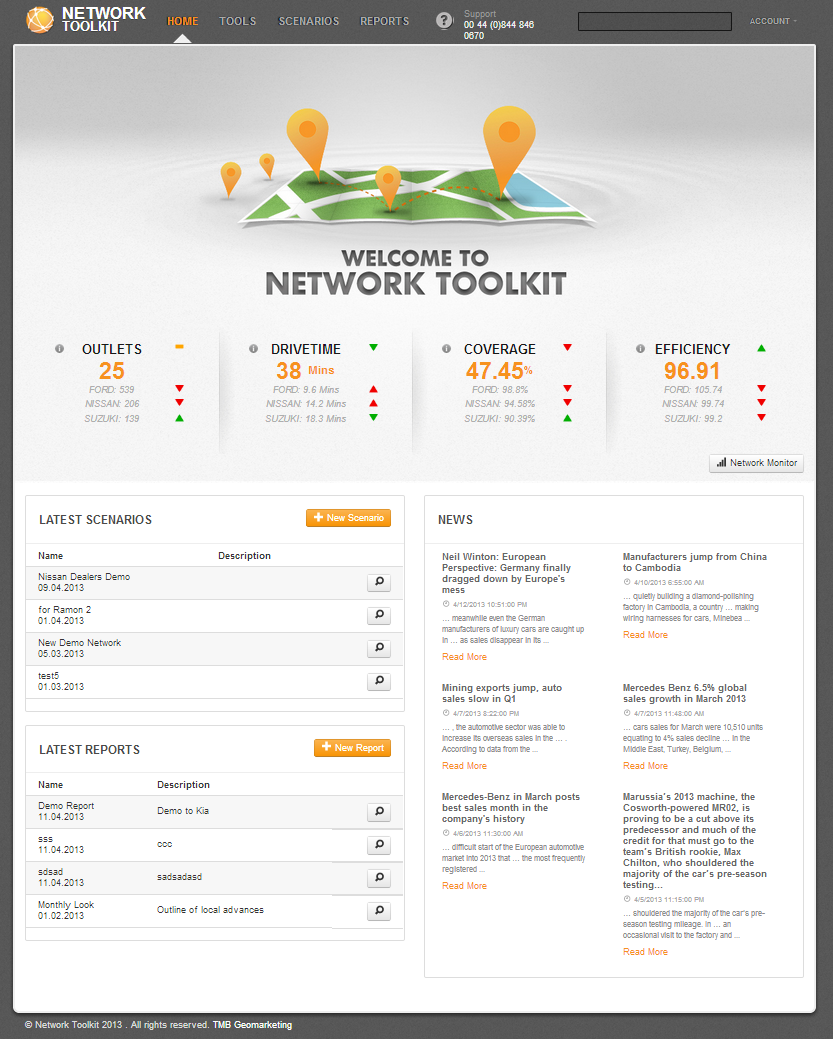
The home page is the default starting point after logging into Network Toolkit.
If you have a subscription to Network Monitor, towards the top of the homepage, you will be able to view a dashboard of KPI's (Key Performance Indicators) relating to your existing network, and, if the data is available, your competitors. Your existing Network KPI’s will be displayed by outlet or dealer count,
coverage,
accessibility and
efficiency. If you have Network Monitor installed, you will have a link to the Network Monitor via the button just below the KPI panel.
The home page also contains a list of your recent scenarios and reports. To open any of these, click on the name of the scenario or the report, or click on the

button.
On the home page there is also a panel with the latest news feeds from your industry.
 Network Toolkit User Guide