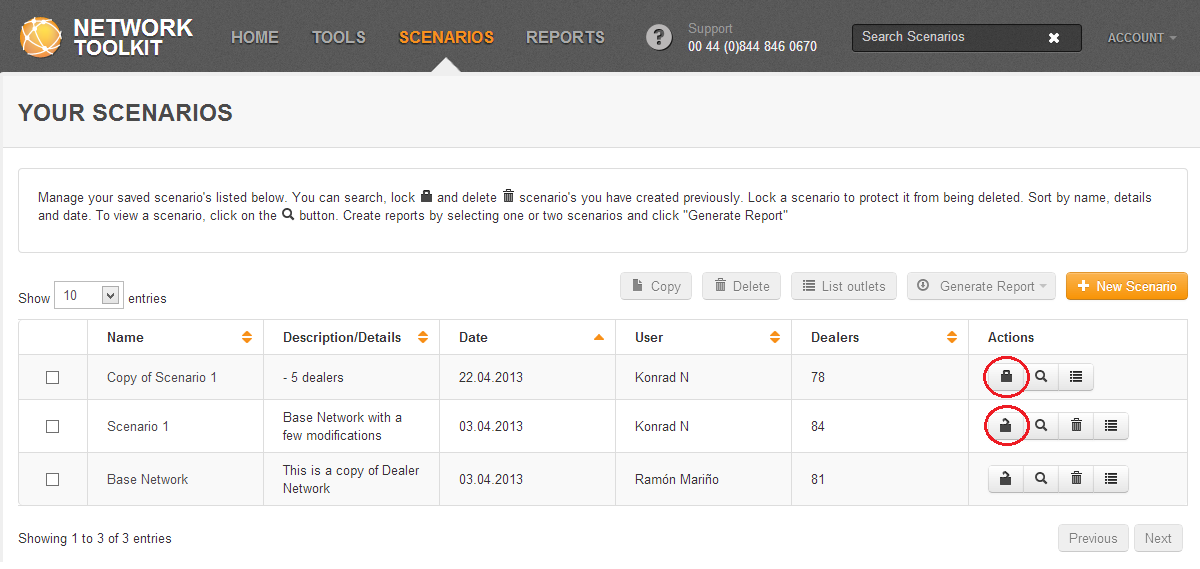
You can lock a scenario to protect it from being deleted. To lock a scenario, click on the Lock button which is located in the same row as the scenario you wish to lock. The symbol on the lock icon will change to Locked to show that it is locked. At the same time, the Delete button for that scenario will disappear.
To unlock a scenario, simply click on the Locked button again. The delete button will reappear for that scenario.
 Network Toolkit User Guide