Add an Existing Territory Map Layer
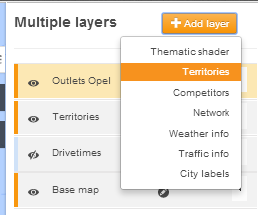
To add an existing territory layer, select the 'Add Layer' button and select territories.
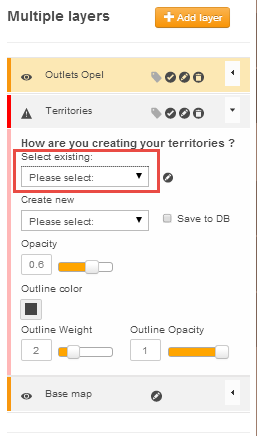
From the options, click on the pulldown arrow for 'Select Existing' options box (highlighted in red) and select the existing territory that you wish to see on the map.
Once you have added the territory layer to the map, you can change the opacity (transparency), the outline colour, and outline thickness (outline weight).
 Network Toolkit User Guide