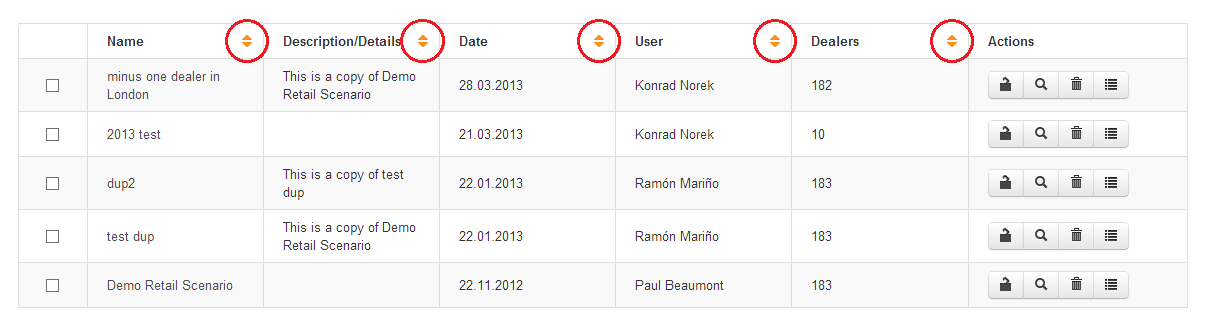
Click on the sort ascending / descending arrows (see below highlighted in red) at the top of the Name, Description, Date, User or Dealers columns. The Scenario Manager sorts the list of available scenarios in the column that you apply the sorting function. You can also use sorting on the filtered search results.
 Network Toolkit User Guide