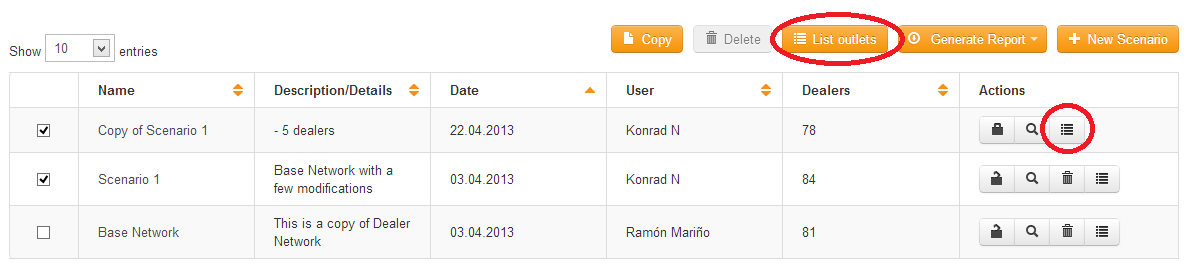
You can create a list of all the outlets or dealers in a scenario by using one of two methods:
1. Click on the individual scenario
List dealers 
button. This will list outlet details for the individual scenario.
2. Select two or more dealers to compare the dealer list between two or more scenarios. Select the dealers by clicking on the checkbox to the left of the scenario names. The List outlets button will activate. Click this to create a comparison list between two or more scenarios. Any differences in dealers between the scenarios will be highlighted in yellow.
 Network Toolkit User Guide