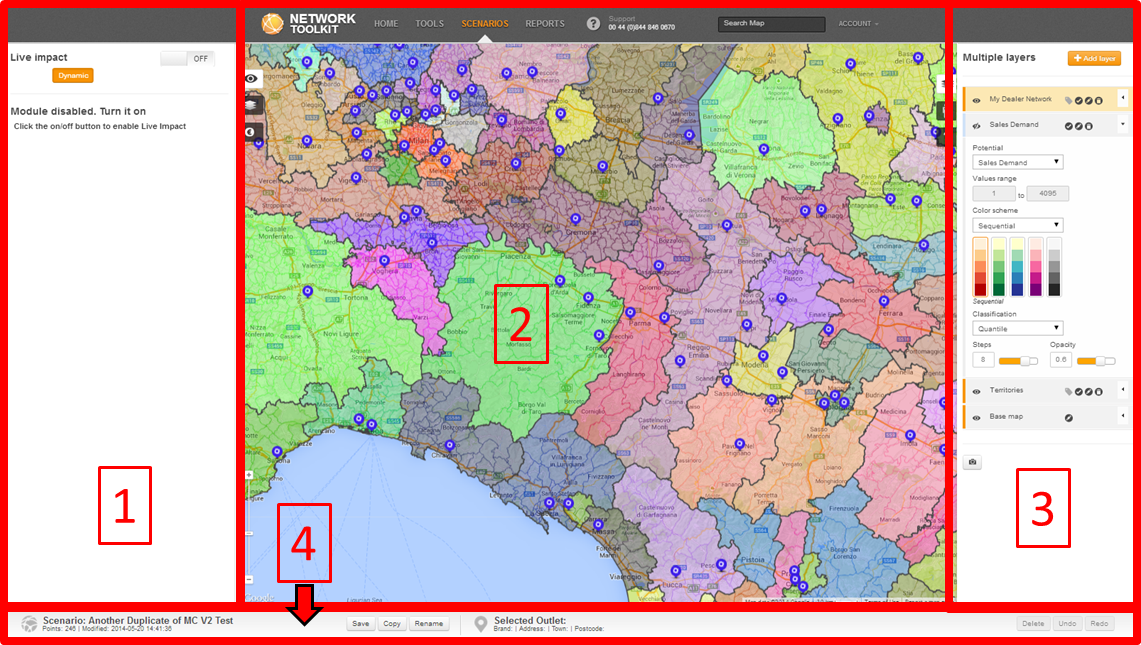
The map view in Network Toolkit is set out into 4 main sections.
The map view has 4 main areas:
1. To the left of the map window is the Live Impact / Sales performance panel.
2. In the middle is the main Map window. This contains the working map area and is where you can open, create and edit your Scenarios.
3. To the right of the map window is the Map layers / Street View / Help panel.
4. On the bottom of the screen is the Save / Copy/ Rename / Info / panel.
 Network Toolkit User Guide