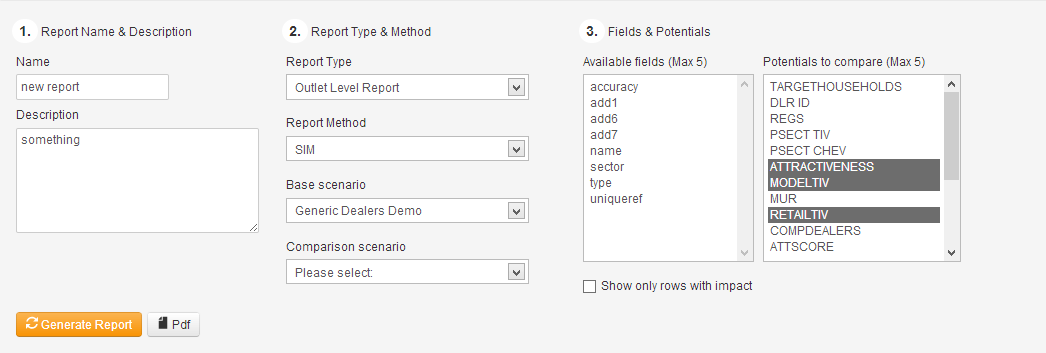
There are two ways you can edit the existing report. You can edit or modify an open report by clicking on the

button above the open report
or by clicking on the Edit icon  for the report you would like to modify. Both ways will take you to the same place: Report Wizard
 dialog box so that you can change the settings:
Once you finish, just click the Generate Report button and Network Toolkit will calculate values for the modified report.
 Network Toolkit User Guide