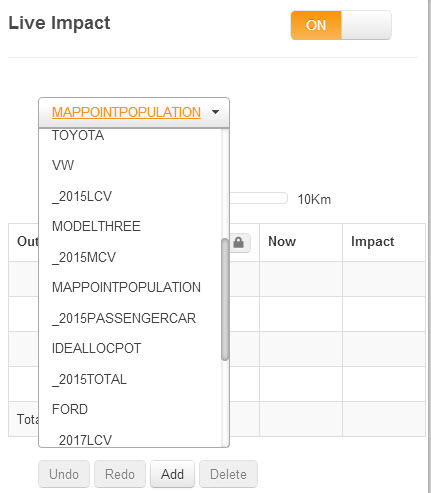
LiveImpact is a dynamic way of calculating potentials and measuring the impact of making changes to your scenario. Calculations happen as you make changes; These calculations are displayed in the scenario panel to the left of the map window.
To switch LiveImpact on, select the LiveImpact tab on the left hand side of the map  .
.
Now switch on LiveImpact at the top of the panel.
Select a potential to use from the dropdown list
Now select an outlet on the map. The panel will populate with numbers and the map will normally show some shading.
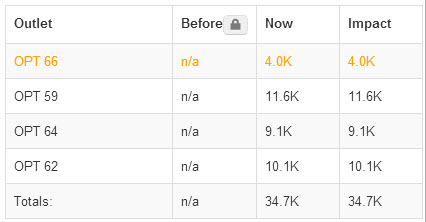
In the panel. A table has appeared with 4 columns;
1. Outlet Name - the selected outlet is highlighted in the table as the orange row
2. Before - this stores the potential of the previous network configuration. If you have just started, it will say 'n/a'
3. Now - this stores the potential of the current network configuration that you can see on the map
4. Impact - this shows the difference between the 'Now' column and the 'Before' column. In other words, it shows the difference for the changes you have made inthe scenario.
Underneath the table, you can see a chart which shows the same information as the table.
On the map you can see some shading for the selected outlet. This shows the distribution of the potential that has been allocated to this outlet. The darker the colour, the higher the value.
You can select any outlet in the map to see what potential it is predicted to get.
You can move, add or delete any outlet on the map and see the changes to the potentials for that outlet and the surrounding outlets. For every change you make, LiveImpact will recalculate the potentials and move the potentials from the previous network configuration in to the 'before' column so that you can compare them with the new configuration.
 Network Toolkit User Guide