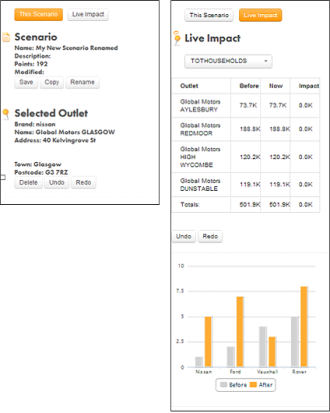
This panel to the left of the map window provides information about the current scenario, selected outlets and LiveImpact calculations. You can switch between two views; ‘This Scenario’ and ‘Live Impact’ by using the buttons at the top of the panel.
‘This Scenario’ shows information about the current scenario, with the options to Save, Copy or Rename the scenario.
You can also see information on any outlet that you select, along with the capability to delete the selected outlet and undo, redo any actions related to changes in the scenario.
If you switch on Live Impact, the Live Impact panel automatically appears. You can view tables and charts relating to calculated potentials [see LiveImpact].
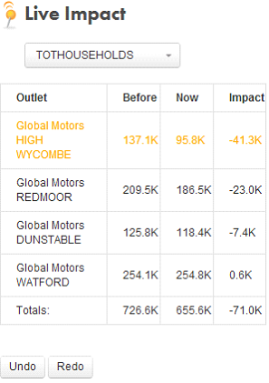
The LiveImpact table has 4 columns; The outlet name, Before, Now and Impact. The ‘Now’ and ‘Before’ columns show current and previous potentials (before any changes were made to your scenario). The impact column shows the difference between the ‘Now’ and ‘Before’ columns. You can select any available potential from the potential selector button just above the table. The current potential being used in the table is displayed on the button.
There is an ‘Undo’ and a ‘Redo’ button below the table. You can use these to undo or redo any action that you have already performed on the map. See more about Undo / Redo
 Network Toolkit User Guide